> ## Documentation Index
> Fetch the complete documentation index at: https://docs.enterflow.co/llms.txt
> Use this file to discover all available pages before exploring further.
# Briefings
> 3x per day summary of your new emails
## Overview
Flow will let through the important emails directly into your inbox and provide you with briefings a few times a day of the non-important emails.
The purpose of briefings is to allow you to batch process your new emails.
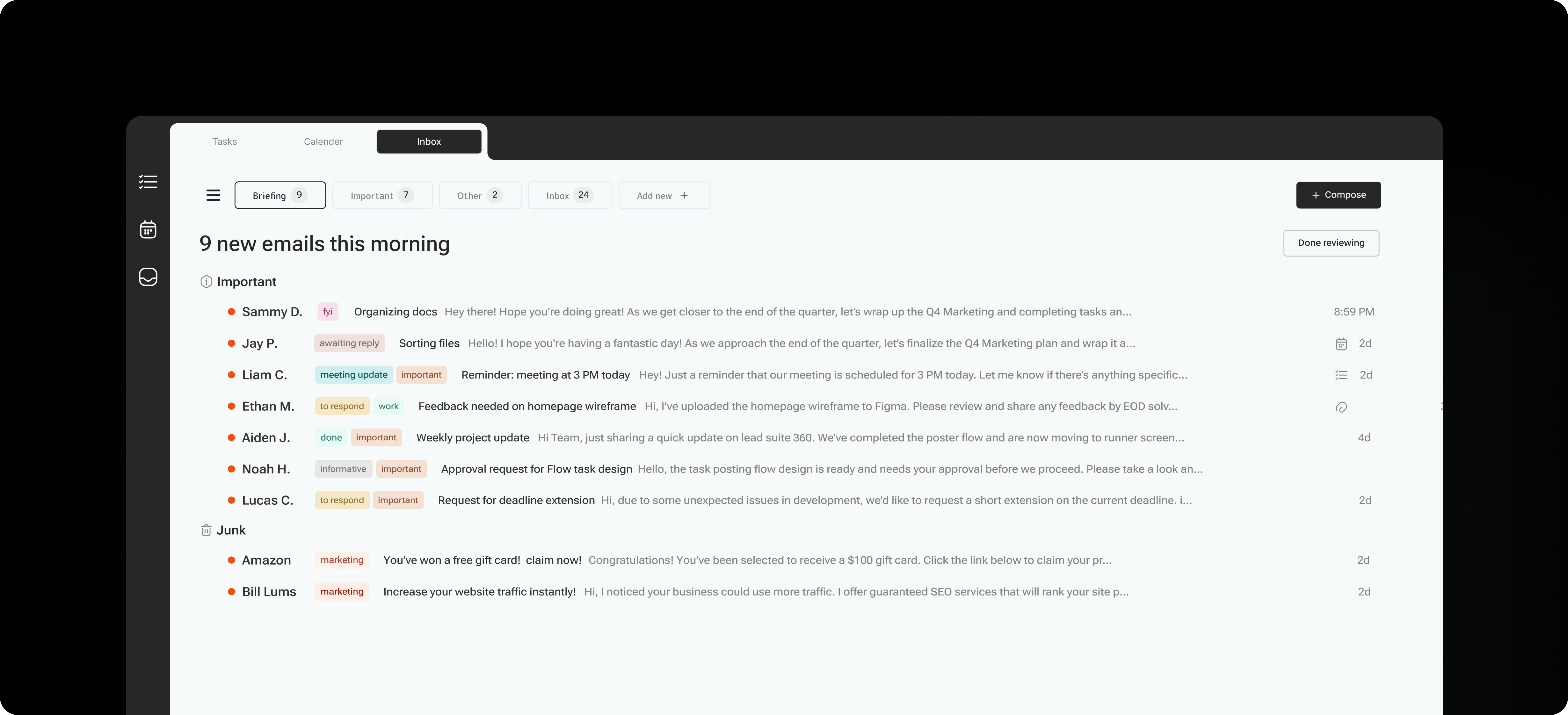
The briefings page guides you through a summary, allows you to provide feedback, and take action on the suggested tasks and events generated from the content.
You can train Flow to remember who is a VIP (always important), who you don’t want to hear from again (always junk), or where Flow got the content type wrong (e.g., you consider something to be a notification rather than marketing).
Here’s how it looks:
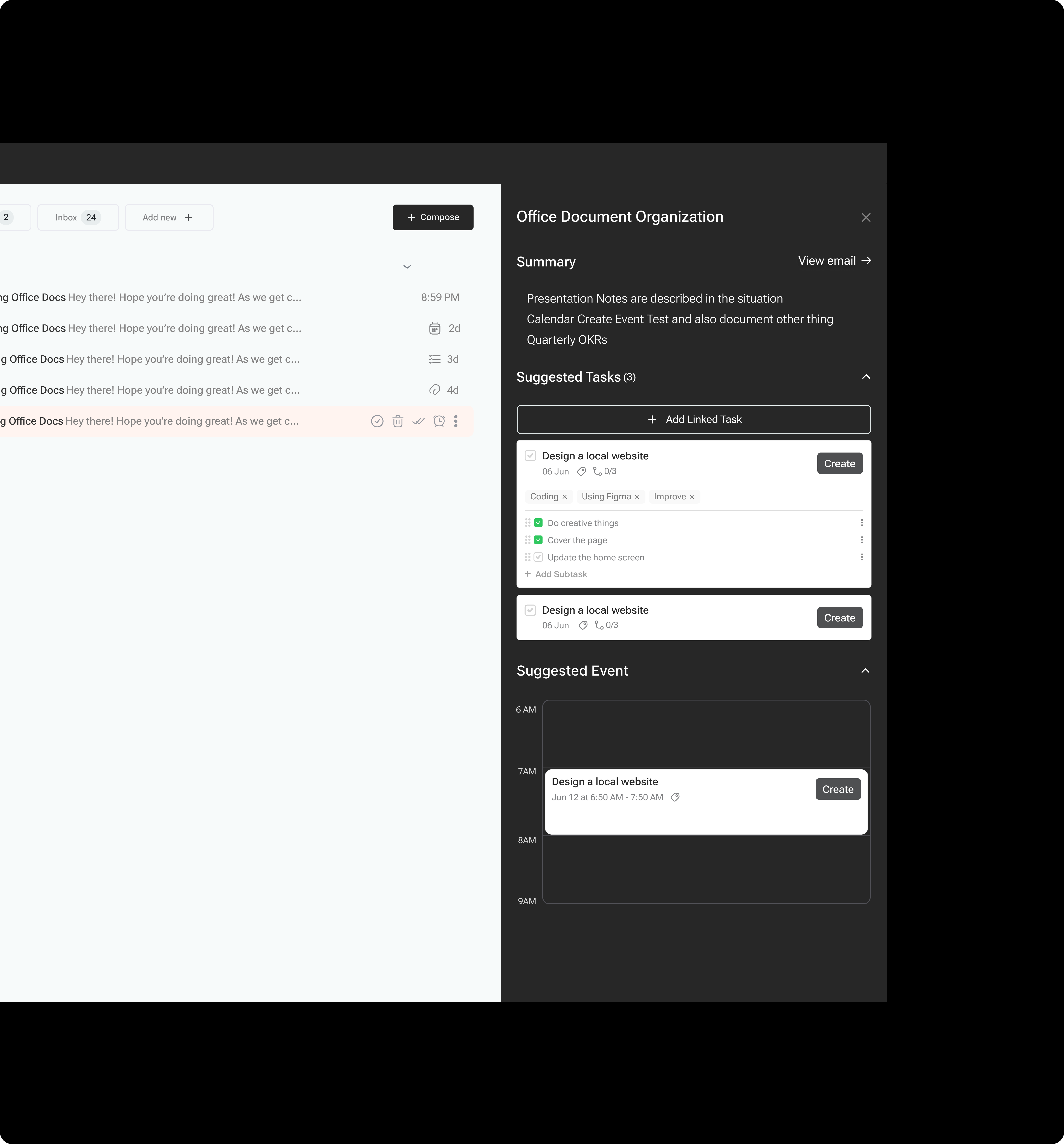
 When viewing an email, Flow will also provide a short AI summary, along with suggested tasks and events based on the email's content.
 You’ll also receive an email notification to your primary account letting you know that your briefing is ready. This will follow your Settings > Inbox > Briefing schedule.
Unlike other email management tools, Flow provides a unified briefing across all your email accounts, rather than making you go through each account one by one.
Some users aren’t comfortable with having Flow automatically archive their non-important emails until the briefing, so we have an option in the Settings > Inbox > Intelligent inbox, where you can toggle off “Archive non-important”. When this is off, all emails will come through to your inbox as normal, but with the benefit of the AI Labels.
You’ll also receive an email notification to your primary account letting you know that your briefing is ready. This will follow your Settings > Inbox > Briefing schedule.
Unlike other email management tools, Flow provides a unified briefing across all your email accounts, rather than making you go through each account one by one.
Some users aren’t comfortable with having Flow automatically archive their non-important emails until the briefing, so we have an option in the Settings > Inbox > Intelligent inbox, where you can toggle off “Archive non-important”. When this is off, all emails will come through to your inbox as normal, but with the benefit of the AI Labels.
 You can email us anytime at [hello@enterflow.co](mailto:hello@enterflow.co) with questions.